2N Device Configuration
This document covers the setup of the 2N Device you wish to control.
2N Device Setup and Connection
To make use of the Switch and I/O API you dont need any additional license on the 2N.
Enable Http API
The driver leverages different API services for different features.
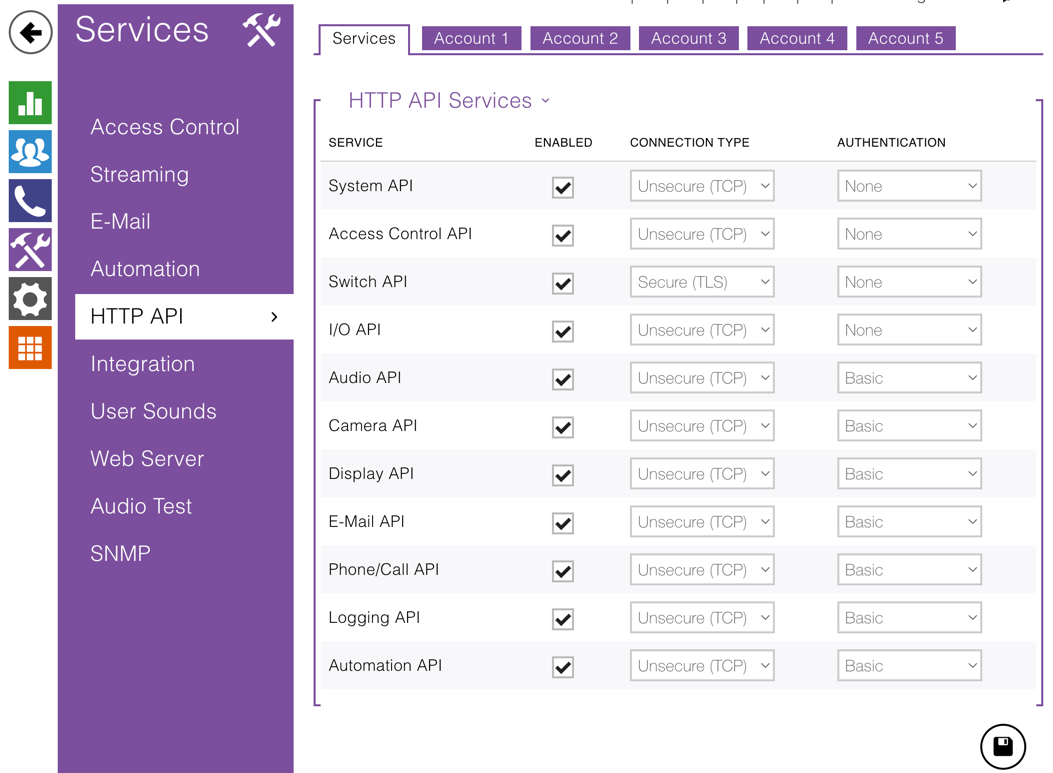
For a quick initial setup enable all Services with TCP and no authentication.
Once you have tested comms you can harden the system to your requirements by turning on authentication as required.
Create an API User
If Authentication is used a user must be created and given control and monitoring on I/O Access and control privileges on Switch Access .
You need to create a user and give that user the privileges:
NB: the user is not the same as the user that you use to get into the web Interface.You have to add and enable one of the accounts on the HTTP API Page.
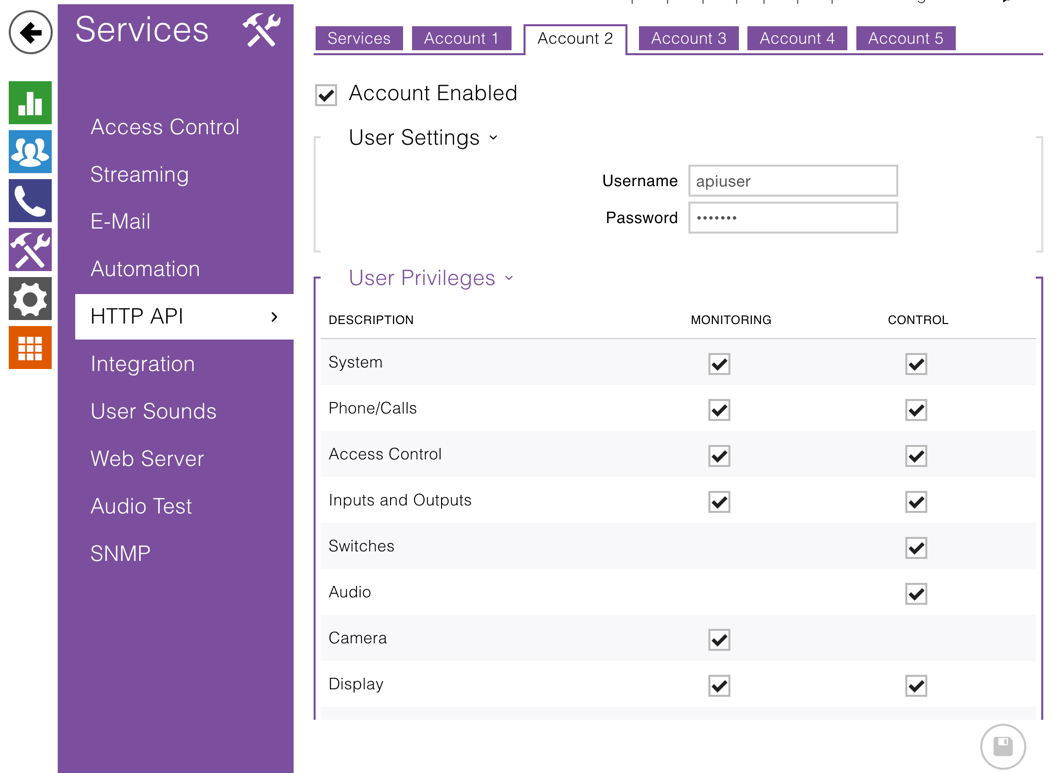
NB: Make a note of the user credentials as you will need to enter these in the installer settings during configuration of the driver.
Switch Settings
Switches in 2N devices expose controllable interfaces, rather than directly controlling relays themselves. Each switch acts as a logical control point that can be activated or deactivated via the API, automation rules, or driver commands.
In the Switch Setup of the 2N configuration interface, you define what the device should do when a switch becomes active or inactive — for example:
- Trigger a relay
- Send an HTTP request
- Start a script or scenario
- Control another 2N device over the network
The driver can then activate or deactivate these switches programmatically, allowing external systems to trigger defined behaviors through a unified interface.
Other Settings for advanced features
| Feature | API Service (Control) | Page on 2N |
|---|---|---|
| Noise Detected | Noise Detection Enabled | Hardware Audio |
| Motion Detected | Motion Detection Enabled | Hardware Camera |
| Call Button Pressed | Logging API must be enabled | http api services |
Summary of services required for features
| Feature | API Service (Control) | API Service (Monitor) |
|---|---|---|
| Switch | SWITCH,I/O,System,Logging | SWITCH,I/O,System,Logging |
| Relay | I/O,System,Logging | I/O,System,Logging |
| Input | I/O,System,Logging | I/O,System,Logging |
| Dial/End Dial | Phone/Call API | Phone/Call API |