LCD Dashboard for Crestron
See the whole home at a glance.
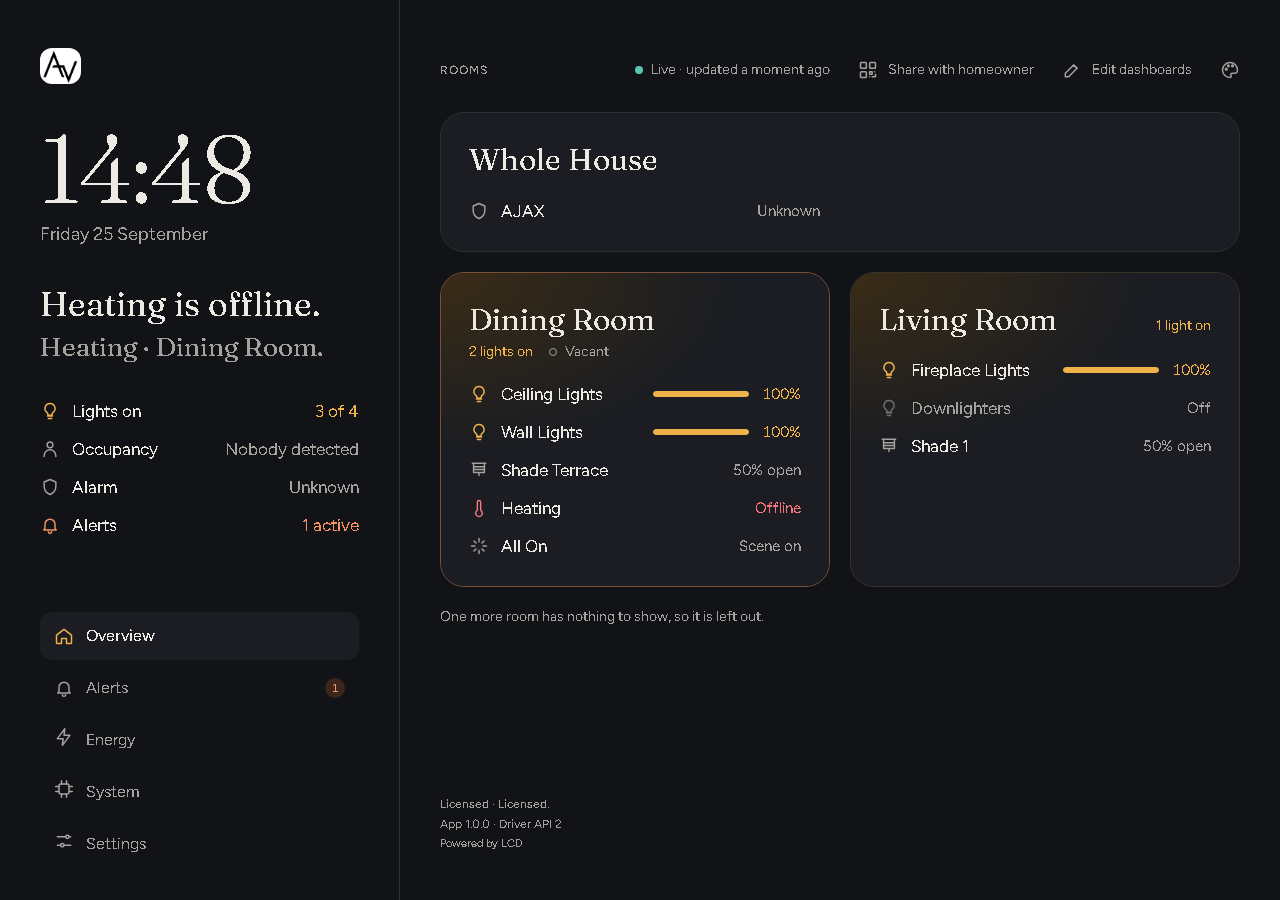
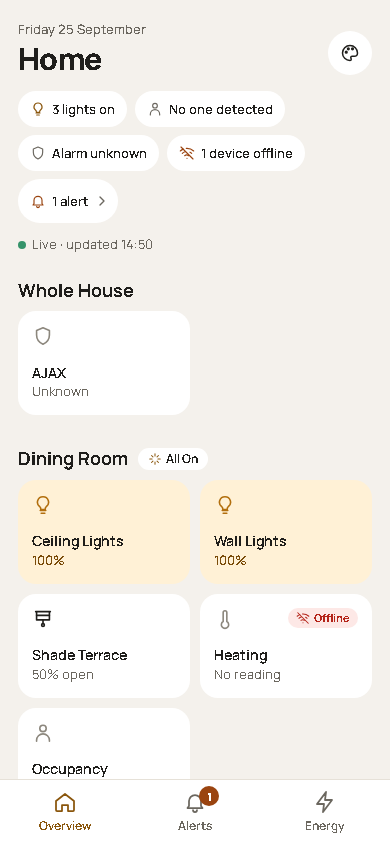
LCD Dashboard gives Crestron Home a live overview of the house. It opens in any browser on the home network: a phone, a tablet or a wall-mounted display. Each room shows which lights are on, shade positions, doors and locks, occupancy, temperature and what's playing. A summary bar answers the questions homeowners ask most: is anything left on, is a door open, is the house locked up?
Alerts flag what needs attention, such as a door left open, a device gone offline, a low battery or a security alarm, and can trigger Crestron Home sequences and notifications. An Energy page estimates how much the lighting uses and costs. Installers get a system page showing the health of the Crestron Home processor, with history and one-click diagnostics.
The latest LCD Dashboard driver package, version history and release notes live on the LCD Dashboard driver hub. Download the current build there; keep these pages open for how to install and set it up.
What it shows
- Every room. Each room lists its lights and their levels, shades and their positions, doors and locks, occupancy, temperature and heating mode, what's playing, and any active scene.
- A summary of the whole house. Lights on, shades open, doors open, locks, occupied rooms, devices offline, active alerts and the security system.
- Alerts. Each alert says what, where and for how long, for example "Front Door left open: Front Door in Hallway has been open for 12 minutes." Active alerts come first, with a history below. An alert can be snoozed or dismissed.
- Your own dashboards. Build pages from cards, such as rooms, lights, alerts, energy, a clock or a note, with separate layouts for phone, tablet and desktop.
- Energy. Estimated energy use and cost for the lighting by room and by load, lights left on in empty rooms or overnight, and temperature and occupancy history.
- Processor health. Load, memory, storage, uptime and error counts, with 24-hour and 7-day charts and a troubleshooter.
The end-user experience
- Scan and go. The installer hands over a QR code or a printed card. The homeowner scans it on the home Wi-Fi, and the dashboard opens in their phone's browser. There's no app to install and no account to create.
- Four styles. Classic, Ambient, Glance and Console. Ambient is dark and calm, made for a wall tablet. Each phone or tablet can use its own style.
- Just the rooms that matter. A bedroom tablet can show only the bedrooms. Alerts for the whole house still appear.
- On the wall. A wall tablet can run a dashboard full screen, keep its screen on, and dim at night.
- Your installer's name on it. The dashboard can carry the installer's logo, company name and support details, so the homeowner knows who to call.
- Always current. The dashboard updates by itself every few seconds while it's open.
- For viewing. The dashboard shows the house. Homeowners keep using the Crestron Home app, keypads and touch screens to control it.
- In the home. The dashboard works on the home network only, and the house's information stays on the Crestron Home processor.
How it compares
LCD Dashboard is designed to sit alongside the Crestron Home app.
| LCD Dashboard | Crestron Home app | Home Assistant alongside Crestron Home | |
|---|---|---|---|
| What it's for | Seeing the whole house at a glance, alerts and energy estimates | Controlling the home | A separate home-automation platform |
| Where it runs | Any browser on the home network | The Crestron Home app on phones and tablets, and Crestron touch screens | Its own web interface and app |
| Extra hardware | None: it runs on the Crestron Home system | None | A separate computer or appliance to run Home Assistant |
| Control | View only | Yes | Depends on the Crestron integration used |
| Whole-house summary and room-by-room status | Yes | Room by room | Yes, once configured |
| Alerts for doors left open, devices offline and low batteries | Built in, with thresholds set in the browser | Build your own with Crestron Home programming | Build your own automations |
| Alerts as Crestron Home events | Yes, one event per kind of alert | No | Depends on the integration |
| Energy estimates for lighting | Yes, from light levels and the watts you enter | No | Yes, once configured |
| Processor health and history | Yes, on the System page | No | No |
| Integrator branding | Your logo, name and support details | No | No |
| Set up and maintained | Added as a Crestron Home driver | Part of Crestron Home | A second system to install, update and keep in step with Crestron Home |
| Cost | One LCD licence per processor, 30-day trial | Included with Crestron Home | Free software; hardware and set-up time extra |
Licence
LCD Dashboard is a licensed driver (SKU LCDCHOMEDASHBOARD). It comes with a 30-day trial, and you
need one licence per processor. Start a trial or buy a licence key from the LCD web store at
store.lcd.network.
What you need
- A 4-series Crestron Home processor.
- The Web API switched on in the Crestron Home setup app. See Installing the dashboard.
- A licence key. A 30-day trial is available.
- A phone, tablet, computer or wall display with a web browser, on the same home network.
There is no cloud account and no extra hardware.
Some devices that other drivers add to Crestron Home show only in part, or not at all. Check Limitations and notes before you quote.
Continue to Installing the dashboard.